
FRENZY GUIDE
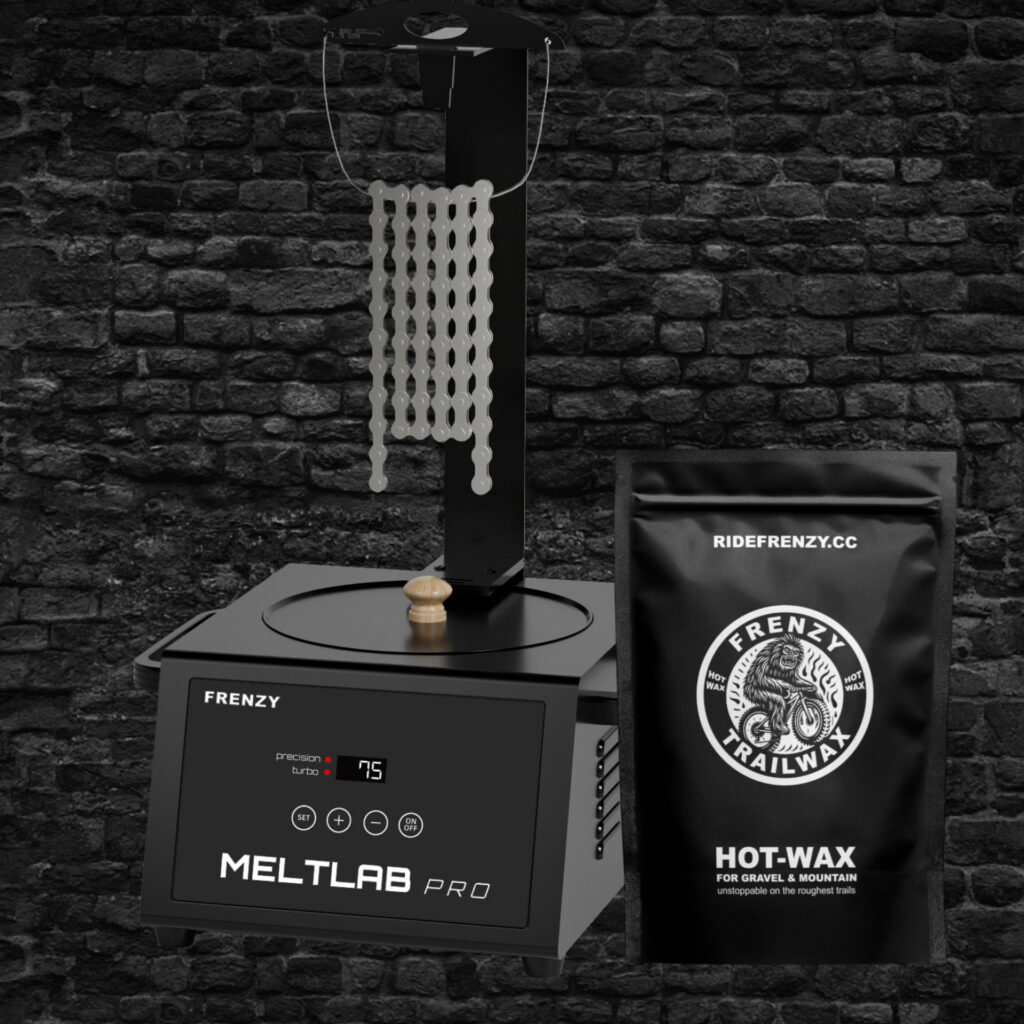
MELTLAB Pro is a hot-wax heater designed for bicycle chains, with precise temperature control, a 1500 ml capacity and two heating modes. This guide explains how to set up the device safely, choose the right mode and wax a bicycle chain correctly.
Reading time: 9 min | Practical guide

For regular hot waxing, use Precision Mode at 75 °C. Choose Turbo Mode when you want a fully automatic heating cycle: the device heats to 125 °C for 35 minutes, then cools for 30 minutes and stabilises at 75 °C. Only immerse the chain once the indicator is green and the wax is completely liquid.
Place MELTLAB Pro indoors on a stable, heat-resistant surface. Keep the device away from water, moisture and children. Check the power cord before every use and do not use the heater if the cord is damaged.
Only work with a completely cleaned and dry bicycle chain. Residual factory grease, oil or solvent contaminates the wax and prevents the hot wax from penetrating the chain correctly. Attach the chain to the chain hanger beforehand so you can immerse and remove it in a controlled manner.
Buttons
Use ON/OFF to switch MELTLAB Pro on and off. Press SET to switch between Precision Mode and Turbo Mode. Use the plus and minus buttons to set a temperature between 35 and 125 °C in Precision Mode.
Indicators
A red indicator means the device is heating. Once the indicator turns green, the set temperature has been reached. The default temperature in Precision Mode is 75 °C: the recommended working temperature for professional hot waxing.
1. Fill the inner pot. Add enough FRENZY TrailWax to fully immerse the bicycle chain. Do not exceed the maximum capacity of 1500 ml.
2. Switch on the device. Plug in the power cord and press ON/OFF. MELTLAB Pro automatically starts in Precision Mode at 75 °C.
3. Wait for the green indicator. Allow the wax to melt completely and wait until the set temperature has been reached. Do not touch the inner pot while it is heating.
4. Immerse the chain. Slowly lower the clean, dry chain into the liquid wax. Make sure every link is submerged and move the chain gently to release trapped air.
5. Remove the chain carefully. Lift it slowly out of the pot, allow excess wax to drip off and hang the chain freely until it has cooled completely.
6. Free the links. Gently break the hardened wax bonds between the links, check the chain direction and install it with the correct quick link.
Choose MELTLAB Pro
Choose the DIP ’n RIP Travel Kit

Choose FRENZY TrailWax

Turbo Mode is an automatic heating cycle. Switch on the device and press SET. The TURBO indicator turns red and MELTLAB Pro automatically heats to 125 °C for 35 minutes. The buzzer then sounds three times and the active heating phase ends.
The device then cools for approximately 30 minutes. Once the TURBO indicator turns green, the temperature has stabilised at 75 °C. Only then is the wax ready for the normal immersion process. Do not immerse a bicycle chain during the 125 °C heating phase.
Turbo Mode is useful when you want a fixed, automatic melting cycle. If you want to set the temperature yourself immediately, or if the wax is already mostly liquid, Precision Mode gives you more direct control.
After use, press ON/OFF and unplug the power cord. Allow the wax and inner pot to cool completely. The remaining wax can harden in the pot until your next waxing session.
To clean the pot or change wax type, first allow the wax to cool and harden completely. Remove it carefully and clean the inner pot with a soft cloth. Do not use abrasive materials and never immerse the heater in water.
Check the power cord regularly, keep the control panel dry and store the device in a dry place. The inner pot and device can become very hot during use.
Combine MELTLAB Pro with FRENZY TrailWax and a completely cleaned chain. To skip the initial degreasing process, choose a compatible Ready2Wax chain.
Immersing the chain too early: wait until the indicator is green and the wax is completely liquid.
Using a dirty or damp chain: oil, factory grease, water and solvent reduce the adhesion of hot wax.
Confusing Turbo Mode with the waxing temperature: 125 °C is part of the automatic heating cycle. Wait until the device has returned to 75 °C.
Touching the pot during use: the inner pot and wax become hot. Always use the chain hanger.
Cleaning the device with water: use only a soft cloth and never immerse MELTLAB Pro in water.
Use 75 °C for regular hot waxing. MELTLAB Pro automatically starts at this temperature in Precision Mode.
In Precision Mode, you set the temperature yourself between 35 and 125 °C. Turbo Mode automatically runs a heating and cooling cycle before stabilising at 75 °C.
No. Wait until the Turbo cycle has finished, the indicator is green and the temperature has stabilised at 75 °C.
No. The wax can cool and harden in the inner pot until your next session. Clean the pot when the wax is contaminated or when changing wax type.
GETTING STARTED
SETUP CHOICE
MAINTENANCE